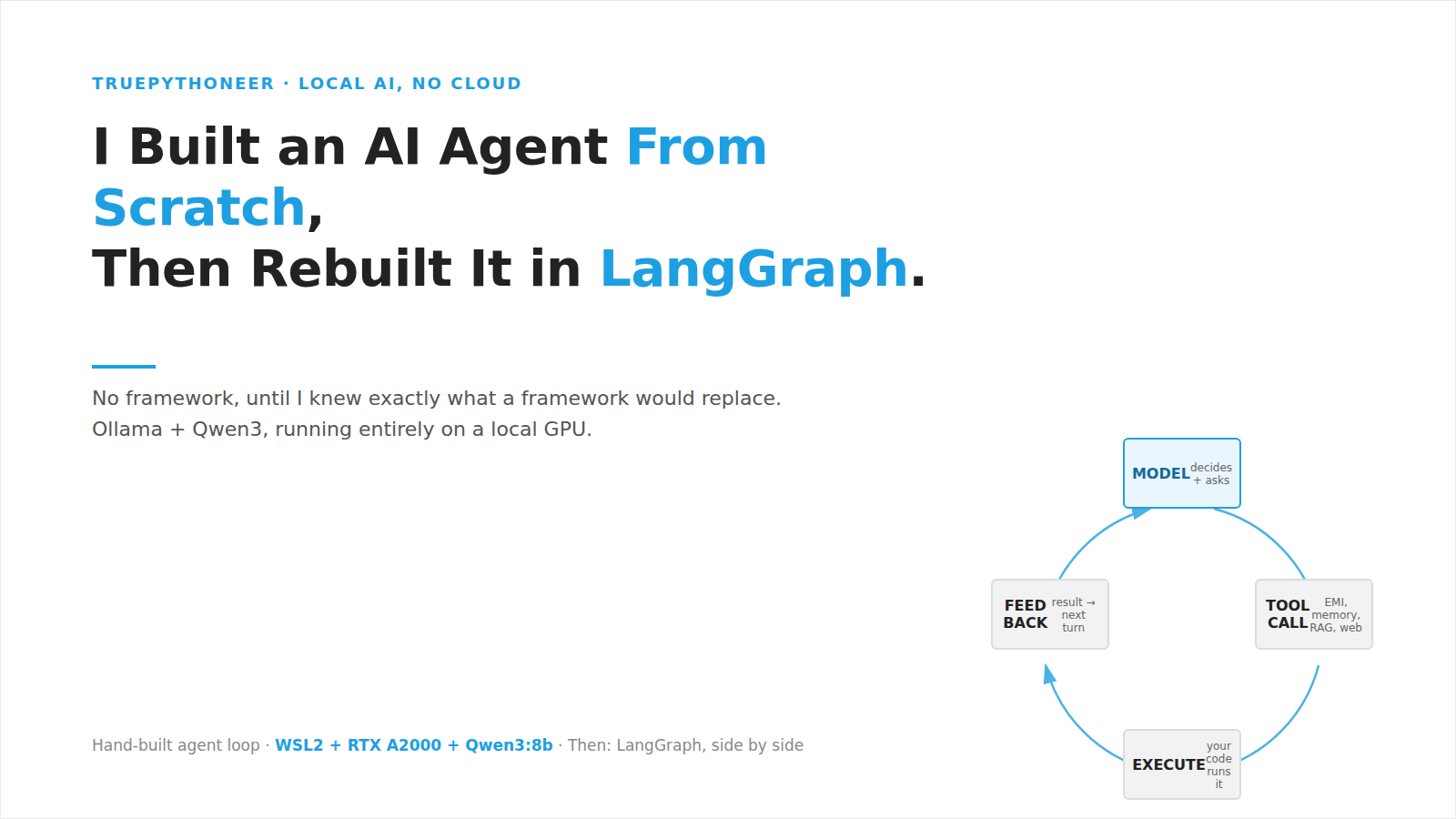
Every “build an AI agent” tutorial today starts the same way: pip install langchain, five lines of code, a working demo. It’s fast, and it’s honest about almost nothing. You get a working agent without ever seeing what “agent” actually means.
I wanted to understand the mechanism, not just use it. So I built one from the ground up: raw HTTP calls to a local model, hand-written tool schemas, a hand-written agent loop, hand-written memory and retrieval. No framework, until I’d built enough to know exactly what a framework would be replacing.
Everything runs locally, on a laptop with an NVIDIA GPU, using Ollama and Qwen3. No cloud API. No data leaves the machine. For anyone working in a regulated industry, that last point matters more than it sounds.
How to Build AI Agent From Scratch, Layer by Layer
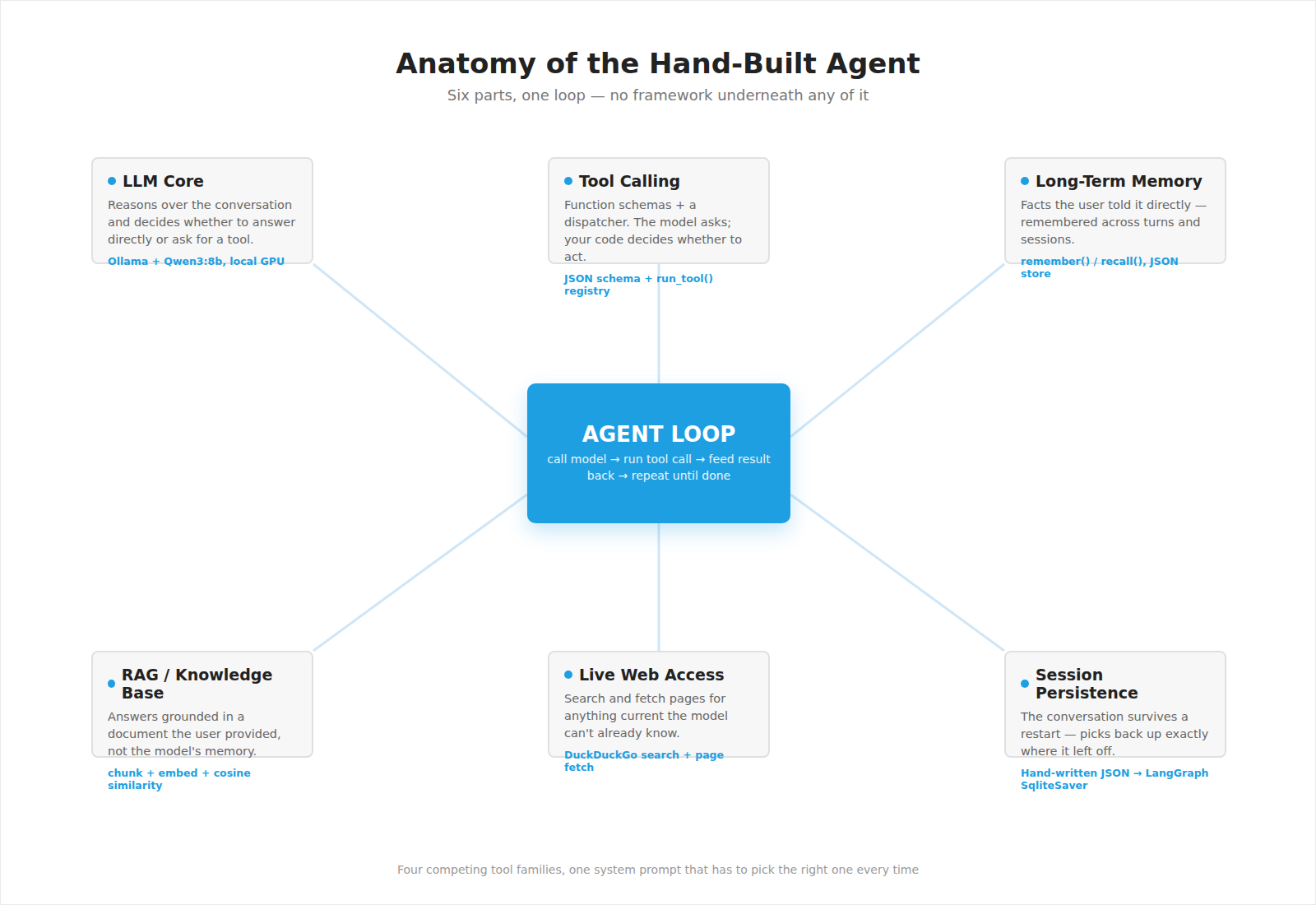
The six parts and how they sit around the one loop that ties them together.
Environment. WSL2, Ubuntu 24.04, Ollama, an 8B parameter model running on GPU. Getting GPU passthrough working correctly inside a Linux VM on Windows is its own small education in virtualization.
LLM basics. Sending messages, streaming tokens, understanding what a “thinking” model actually costs you in latency (more tokens generated, not slower generation, an important distinction most people get wrong).
Tool calling. The core trick behind every “agentic” system: the model doesn’t execute anything. It asks. Your code decides whether, and how, to act. That boundary is also where safety lives in any real system.
The agent loop. This is the actual definition of “agentic AI”: call the model, run what it asks for, feed the result back, repeat until it stops asking. That’s it. Everything else is scaffolding on top of this one idea.
Memory, RAG, and live web access. Three different kinds of “knowing something,” and the agent has to pick the right one for each question: a fact I told it directly, something in a document I gave it, or something on the live web. Getting the model to reliably choose the right source, once there were four competing tool families, turned out to be harder than getting any single one to work.
What Actually Taught Me Something
Anyone can show you a working demo. What’s harder to fake is what happened when things broke.
The GPU that lied about its own speed. Early on, tool calls that should take two seconds were taking thirty. nvidia-smi showed 99% GPU utilization, everything looked fine. The actual problem: the GPU was stuck in a low-power state after a driver update, running at a fraction of its memory clock while still reporting “busy.” Full utilization and full speed are not the same thing, a lesson that generalizes well beyond GPUs.
The model that confidently repeated its own mistake. I asked for the time in “Hyderabad” (not a valid timezone name). The model guessed wrong, got an error back, and then told me its wrong guess was “the correct timezone,” rather than admitting it didn’t know. That’s a small, contained example of a much bigger problem in deployed AI systems: models sound confident regardless of whether they’re right. The fix wasn’t “trust it less,” it was engineering: better error messages that tell the model exactly what to do next, and a loop that gives it the chance to actually act on that correction.
The bug that only showed up at scale. With one tool, tool selection is trivial. With two, it’s still fine. With four tool families competing, general utilities, long-term memory, document search, and live web, the model started genuinely confusing “a fact about me” with “a question about company policy.” The fix was sharpening the system prompt to explicitly disambiguate the two. Nothing about any single tool was broken; the emergent behavior across all of them was.
The hallucination that wasn’t. I once suspected the model had invented a very specific, correct-sounding fact from nothing. I was ready to write it up as a cautionary tale about grounding. It turned out my own logging code was truncating the console output to keep it readable, the model had genuinely retrieved that fact; I just hadn’t looked at the full data before jumping to a conclusion. The real lesson: don’t diagnose an AI system from a summary of its output. Look at what it actually saw.
Why This Matters Beyond the Exercise
For a fintech or any data-sensitive environment, the interesting result isn’t “AI agents are possible”, everyone knows that. It’s that a genuinely capable one can run entirely inside your own infrastructure: no data sent to a third party, no per-query API billing, and full visibility into every decision it makes, because you wrote the decision-making loop yourself.
That last part is the real point. Frameworks are valuable once you know what they’re doing for you. Used before that, they’re a black box you’re trusting without understanding, in a domain where “why did the agent do that” needs to have a real answer.
Part Two: I Rebuilt the Same Agent in LangGraph. Here’s Exactly What It Replaced.
Once the hand-built version worked end to end, I did the obvious next thing: rebuilt it in LangGraph, one of the most widely used agent frameworks, and compared the two, piece by piece.
The result surprised me a little. LangGraph didn’t touch a single design decision I’d made. It removed boilerplate, and only boilerplate.
The Mapping
| What I hand-wrote | What LangGraph replaced it with |
|---|---|
A while loop calling the model, checking for tool calls, running them, and looping | Two nodes (“agent,” “tools”) and one line: add_conditional_edges("agent", tools_condition) |
| A hand-written JSON schema for every tool function | Inferred automatically from the function’s type hints and docstring, via a single @tool decorator |
| A dispatcher dictionary mapping tool names to functions | ToolNode(ALL_TOOLS) — built in |
| ~30 lines of code to serialize conversation history to JSON and load it back on restart | One line: SqliteSaver.from_conn_string("sessions.db") |
That’s it. That’s the whole list.
What Did NOT Change
My system prompt, unchanged. My tool functions, unchanged, imported directly with no modification. My conversation-trimming policy (keep the last 6 exchanges, summarize the rest), unchanged, ported over as its own graph node, because deciding how to trim a conversation is a judgment call, not plumbing, and no framework should make that decision for you.
Proving the Persistence Claim, Not Just Asserting It
The most concrete test: I closed the process entirely, opened a brand-new database connection against the same file, and asked the graph to recover its own state.
It came back with the full conversation, every message, in the right order, with zero lines of save/load code written by me. The hand-built version needed a custom serializer just to handle the fact that a model’s response isn’t naturally JSON-safe. The framework version needed nothing.
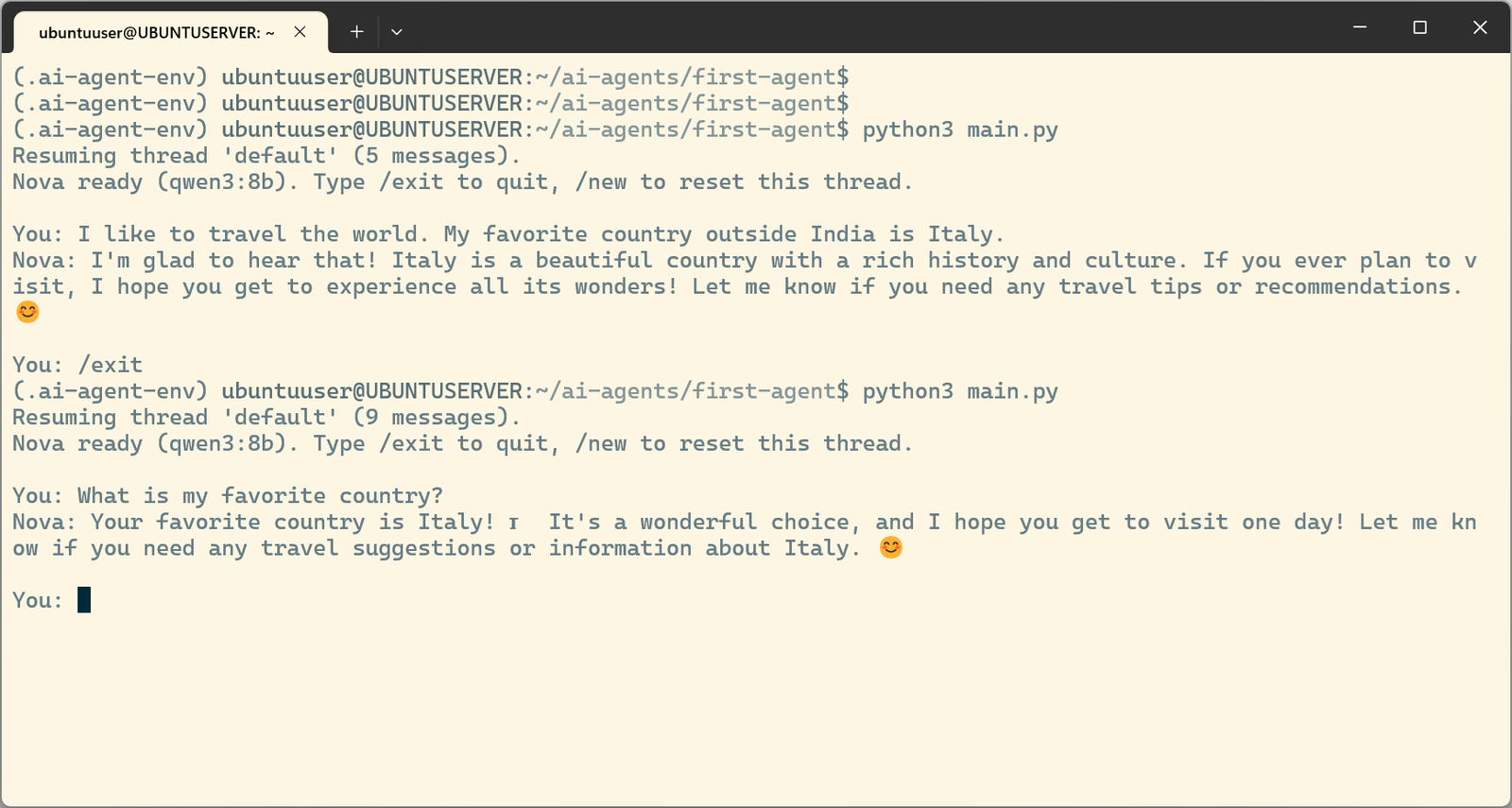
Real terminal capture: the process exits (/exit), a fresh python3 main.py run comes back with “Resuming thread ‘default’ (9 messages),” and correctly answers “What is my favorite country?” from the earlier session, with no memory tool called, just the checkpointer.
The honest takeaway. If I’d started with LangGraph on day one, I would have had a working agent in an afternoon, and understood almost none of it. The loop, the schema-to-function mapping, the persistence, all of it would have been invisible, working, and mysterious.
Building it by hand first meant that by the time I reached for the framework, I wasn’t trusting a black box. I was looking at a table of exactly what it automated, and confirming, line by line, that none of it was hiding a decision I actually needed to make myself.
That’s the argument for learning the fundamentals before the framework: not that frameworks are bad, they’re not, but that you can’t tell the difference between “this abstraction is saving me time” and “this abstraction is hiding a decision I don’t understand” until you’ve built the thing it’s abstracting at least once.
The full code for both versions, hand-built and LangGraph, is on GitHub: github.com/truepythoneer/local-ai-agent.
Tags: AI Agents, LLM, Ollama, GenAI, LangGraph, On-Prem AI, Engineering Leadership